The Retrofit Hub is a recent (as of late 2025) addition to Ubiquiti's line of access control products. They have been manufacturing access control hubs, readers, and other accessories for a while and seem to be very intent on continuing to improve and add to the product line. Up until this product, all UniFi access hubs and readers communicated over Ethernet, using TCP/IP. They were essentially just network devices and did not use traditional protocols such as Wiegand or RS-485/OSDP. The communication between the hub and readers is encrypted, but it did not allow for compatibility with any existing access control system components except for the door locking and sensor hardware. This posed a barrier to entry for large existing installations, as not only would the controllers have to be replaced, but the readers and potentially even the wiring as well. Ethernet requires 8 conductors (4 pairs) and many access control installations use 4-conductor wire for the readers. The Retrofit Hub was an unexpected addition that allows organizations to upgrade their access control system and take advantage of the UniFi software-defined ecosystem without having to replace the entire system. The Retrofit Hub supports their OSDP Retrofit Reader and traditional Wiegand readers manufactured by HID, Schlage, Lenel, and more. It's worth noting that the Retrofit Reader currently only supports the UniFi OSDP reader (Retrofit Reader) and not other OSDP readers. For Wiegand, the supported readers are listed on their website, and UniFi does not manufacture a Wiegand reader. This system was perfect for us because we wanted to take advantage of UniFi's software-defined access application but were not interested in replacing the traditional Wiegand readers and wiring. This product bares resemblance to another unexpected decision by Ubiquiti, which was to provide support for 3rd party ONVIF-enabled IP cameras within UniFi Protect. UniFi Protect traditionally only supported UniFi IP cameras which are proprietary. Decisions like this allow them to reach a segment of the market that they normally would have been unable to, as they provide a path for entering the UniFi ecosystem without having to abandon all legacy hardware that may still be functional.
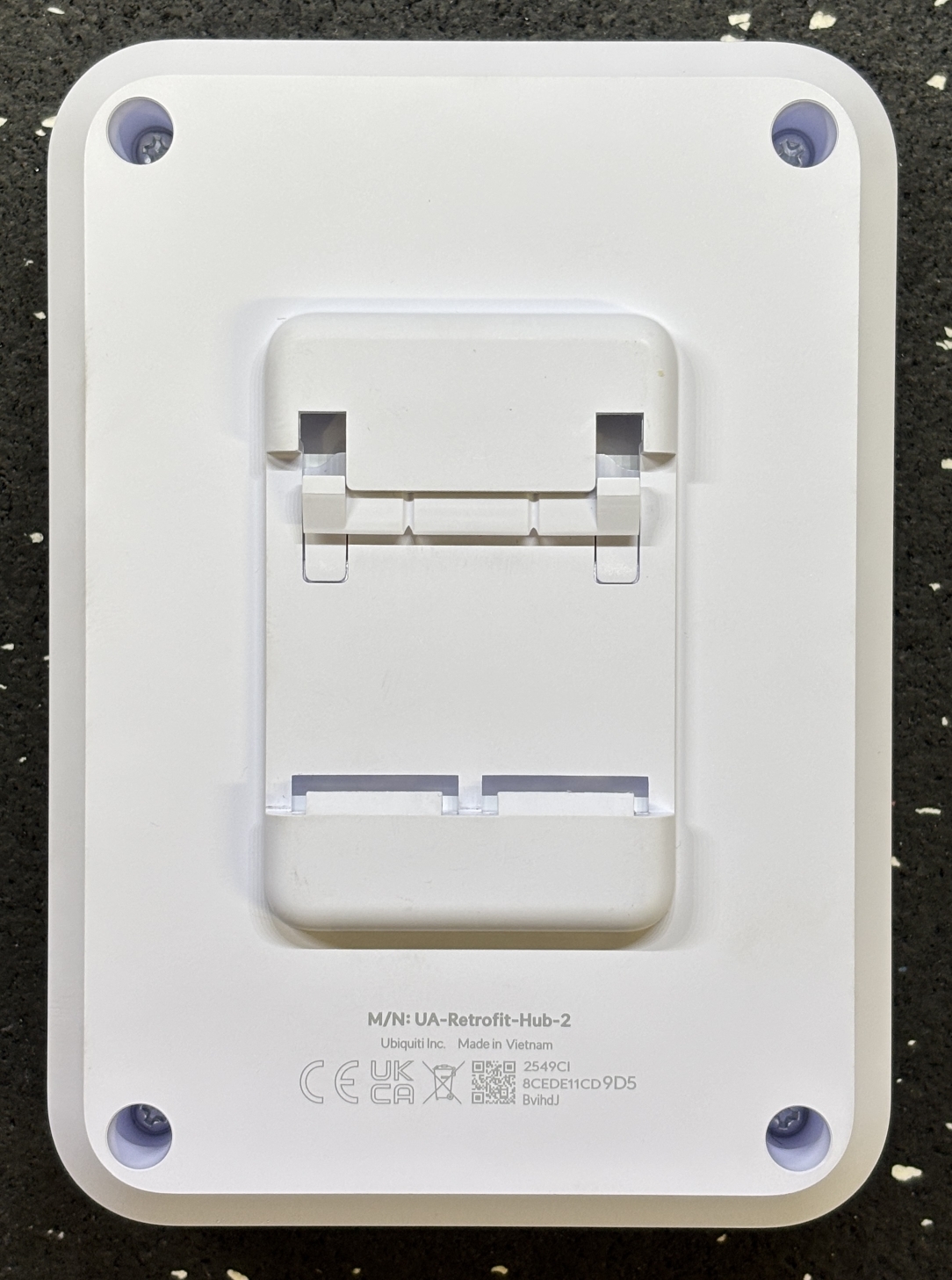
On the front of the unit are some status LEDs to indicate system power and network activity. There is a small pinhole reset button as well. The connections are clearly labeled on the front of the device. The two switches are used to configure the door lock control outputs. They can be "wet" meaning they supply 12V or 24V DC depending on the switch position, or "dry" which means they just act as a NO/NC relay and do not introduce any electrical current. Dry mode is generally used when integrating with 3rd party systems such as an automatic sliding door or with a system that uses its own power supply. Wet mode is useful for just a simple strike or maglock as you don't need an additional power supply and related wiring. On the back of the Retrofit Hub is a slot and spring-loaded clip that allow it to be mounted to a standard DIN rail. Many other access controllers are designed to be mounted on DIN rail, so this facilitates easy upgrades.
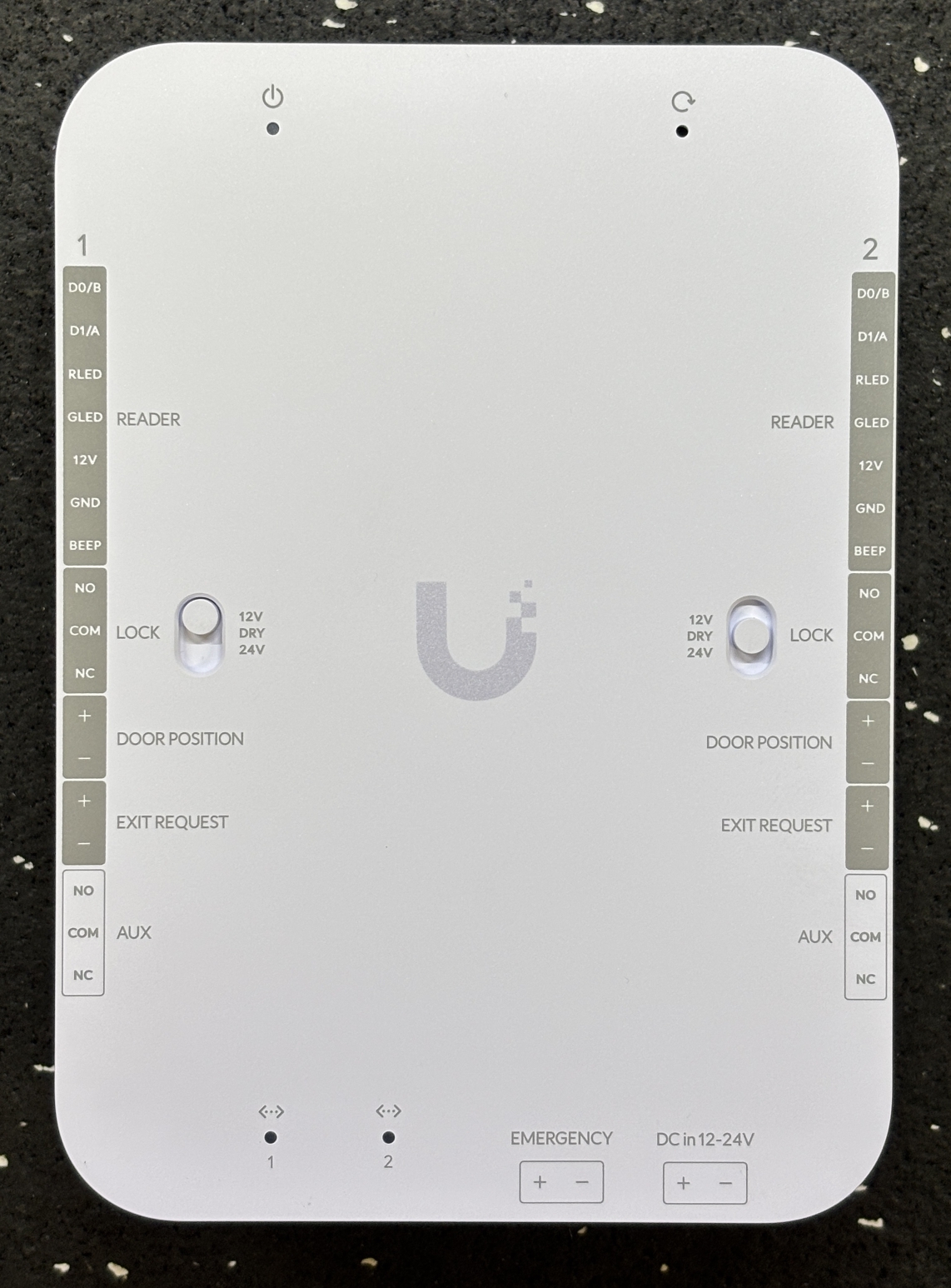
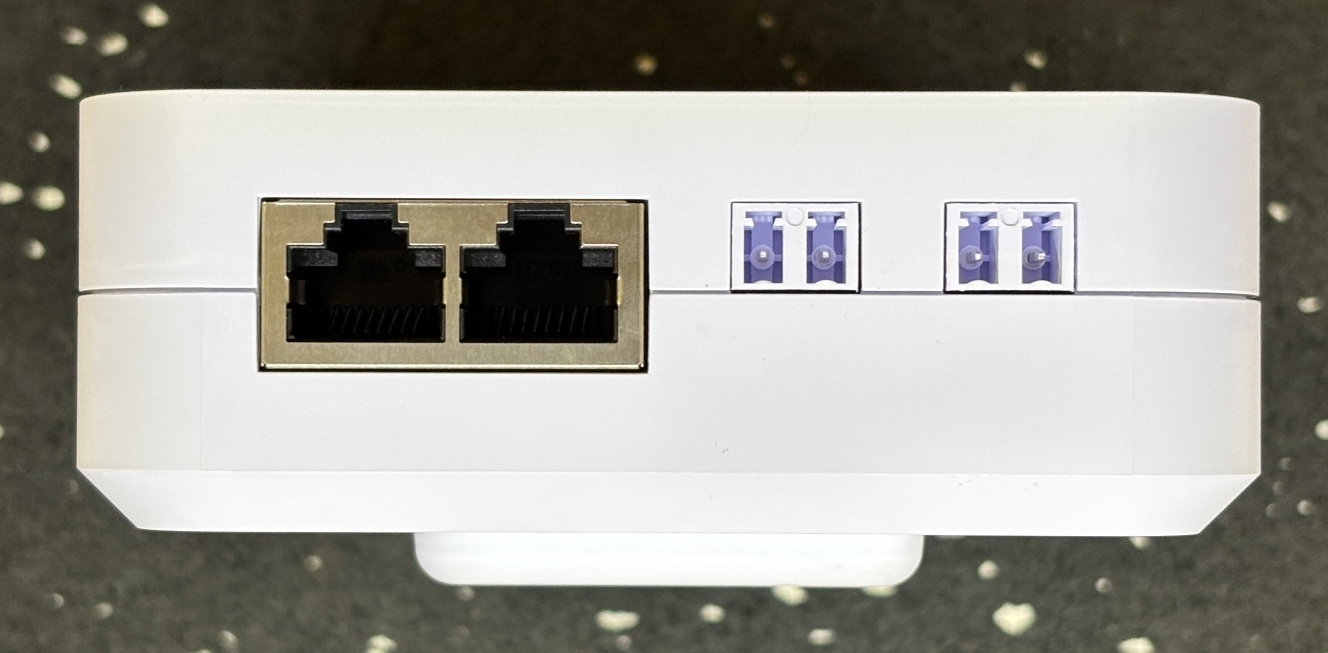
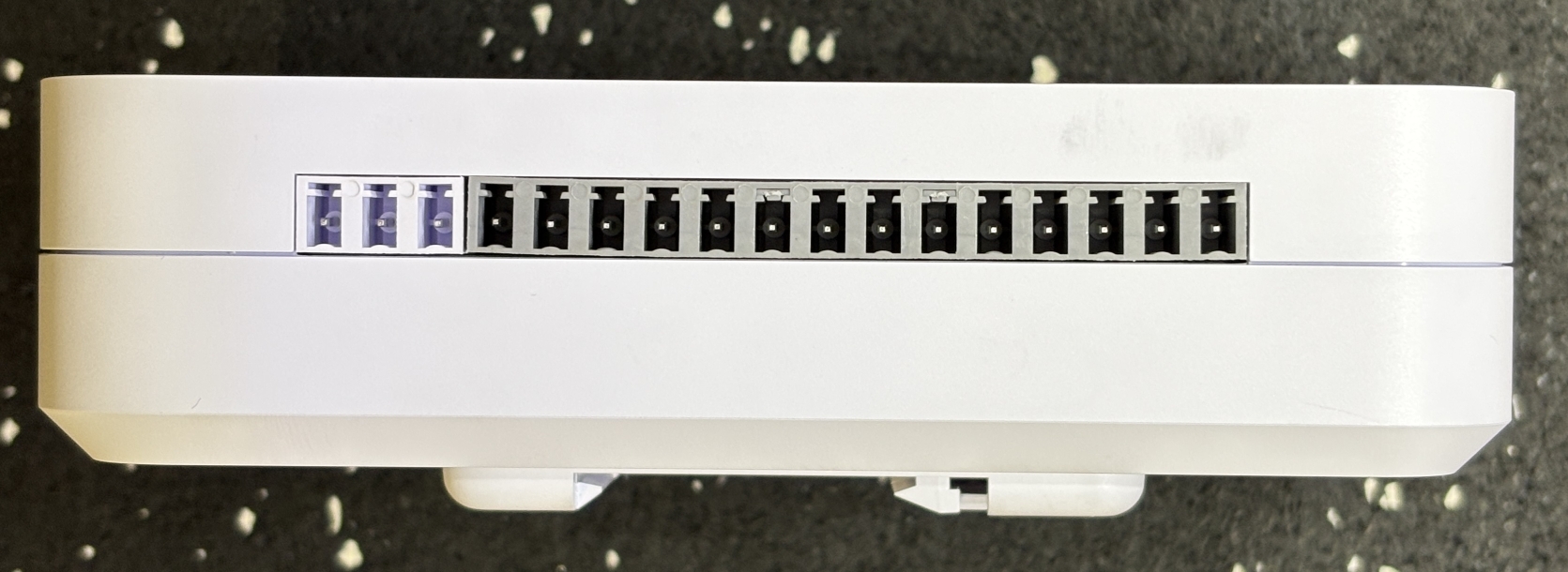
On the bottom of the unit are two 10/100 Ethernet ports. One can be used as the network uplink and the other for daisy-chaining more access hubs. To the right of the Ethernet jacks is the emergency input, which can be used to activate an evacuation or lockdown. This is generally connected to a fire alarm control panel to unlock all doors in the event of an active alarm. All the way to the right is the DC power input connection. The Retrofit Hub can be powered by 12V or 24V DC. On either side of the Retrofit Hub are the reader, lock, and auxiliary connections. Since the Retrofit Hub supports two doors, the set connections on each side are mirror images of each other. First is the combination Wiegand/OSDP terminal for the reader. This includes D0/D1 for Wiegand and A/B for OSDP along with power, ground, red LED, green LED, and a buzzer output. Notably, there is no tamper sensor connection. OSDP readers should be able to pass a tamper signal over RS-485 but if you want use the built-in tamper sensors on Wiegand readers, you're out of luck. Next is the output for the electronic lock, which has NO, NC, and COM terminals. NO or normally open is generally used for a fail-secure electric strike since it receives power to unlock. NC or normally closed is generally used for magnetic locks as they require power constantly to remain locked, power is dropped when the door is to be unlocked. After that is a binary door position sensor that can be configured in software to be NC/NO and an exit request input that can be remapped to a doorbell if desired. Lastly, is the AUX output which can be configured in software to trigger an alarm/siren, chime, or an automatic door opener.
Removing the four Philips screws on the back allow two halves of the casing to be easily separated, revealing the internal components. It's a two-board arrangement with one secured to the front side of the case, and one resting on the back side. The two boards are electrically connected by a ribbon cable.
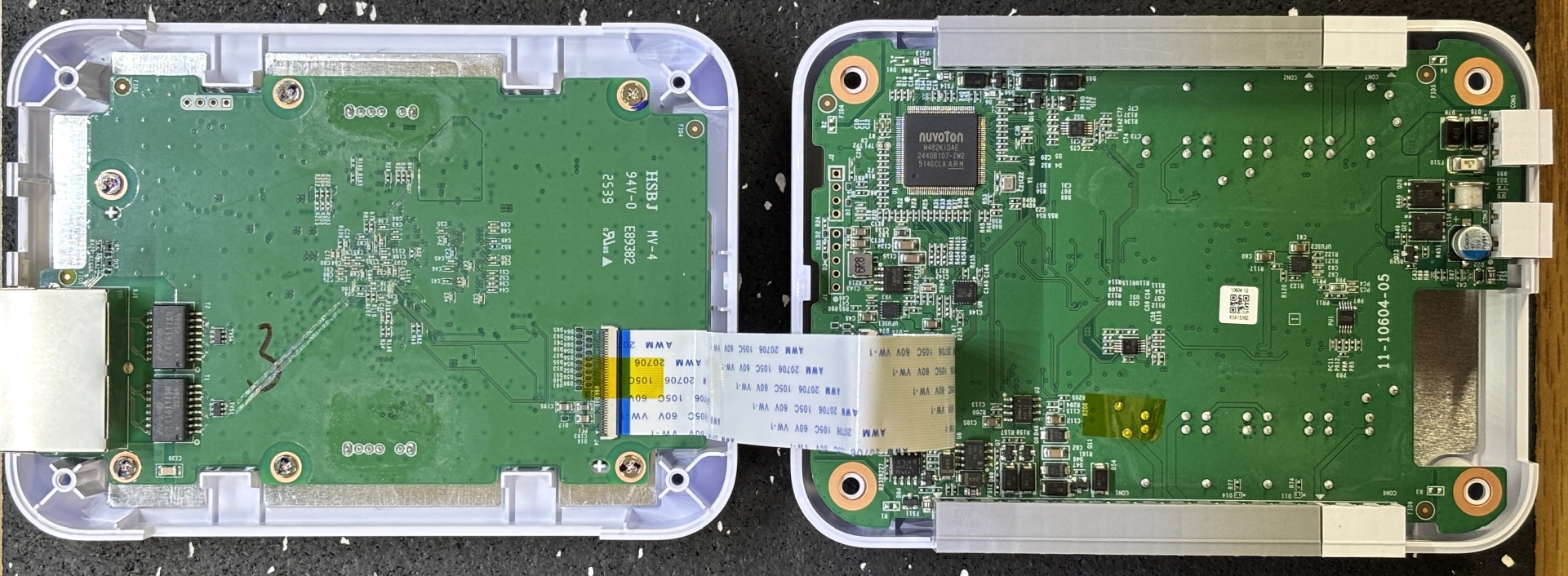
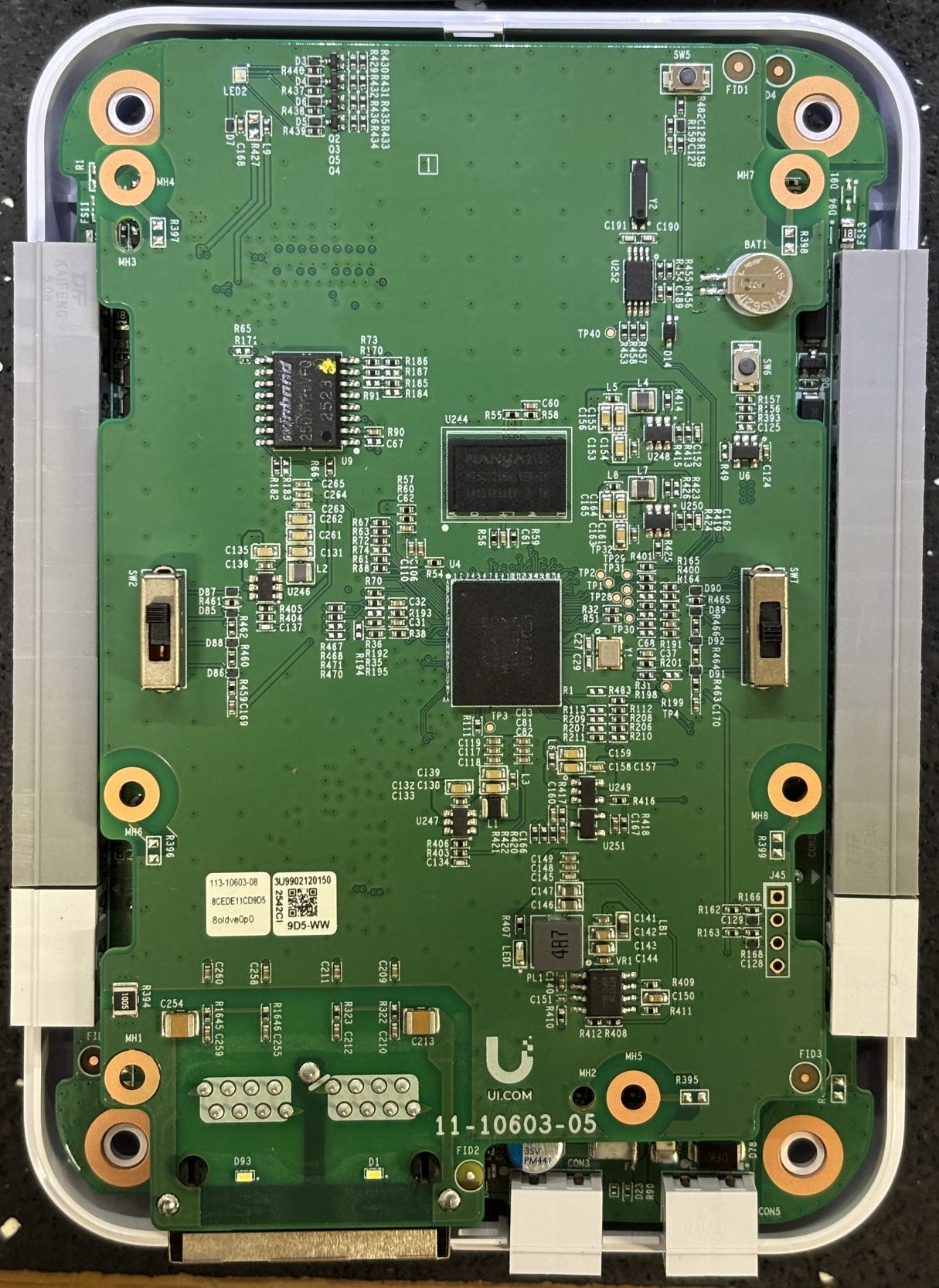
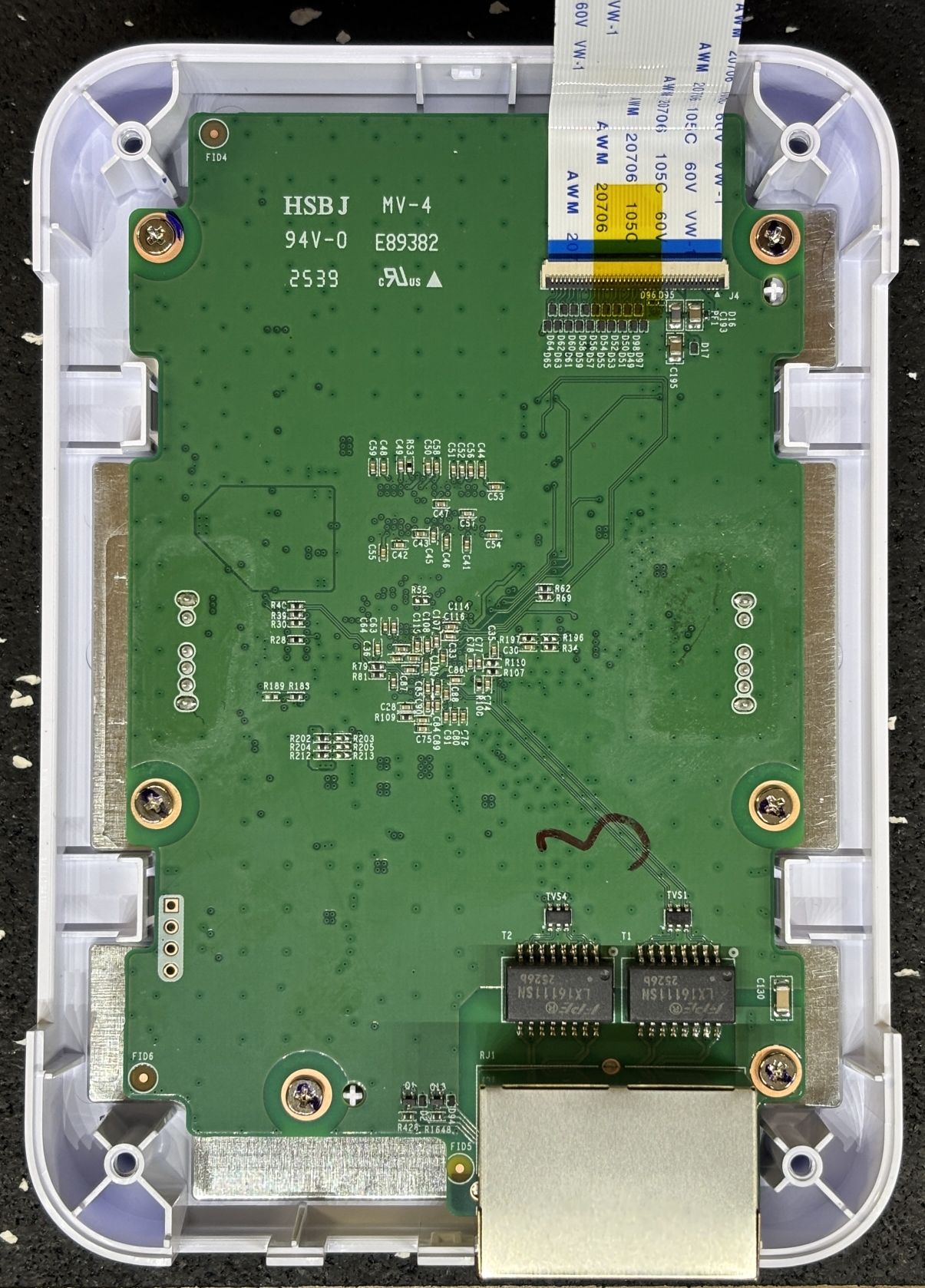
This is the front board, or the "communications" board as we are calling it. It contains the Ethernet jacks and related magnetics (on the back), switches for controlling the door lock relay behavior, status LEDs, network processor, RAM, and flash. The flash is a Winbond W25Q512JV serial flash memory (512 MB), the processor is a MEDIATEK MT7621AT dual-core network processor which is accompanied by a NANYA NT5CC256M16ER-EK RAM chip (256 MB). Notably, there is a reset button on the top which is behind the pinhole, but there is also another small button near the battery that is not accessible from outside the case. On the back of the board are the aforementioned Ethernet jacks and magnetics/transformers (FPE LH16111SN).
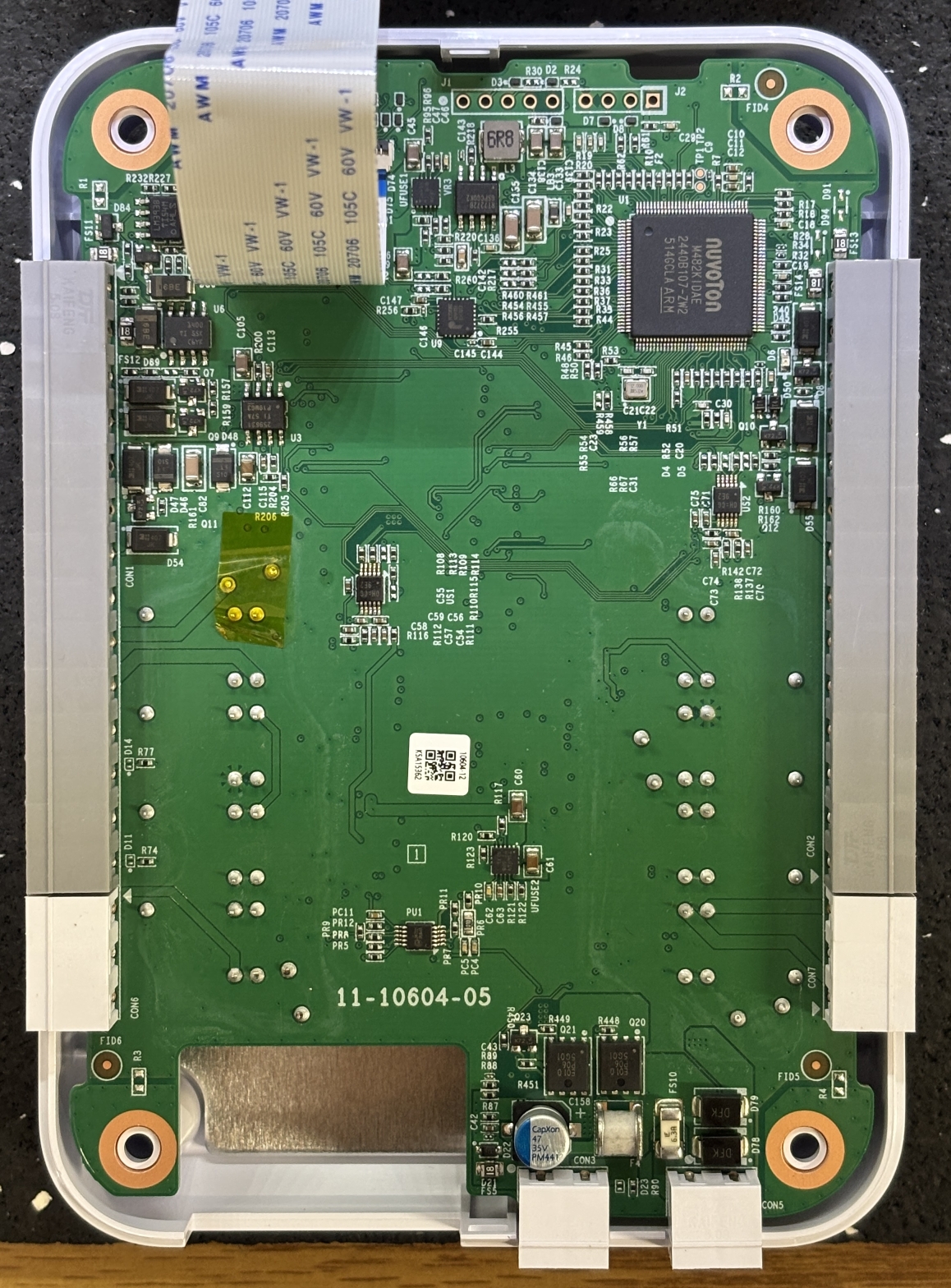
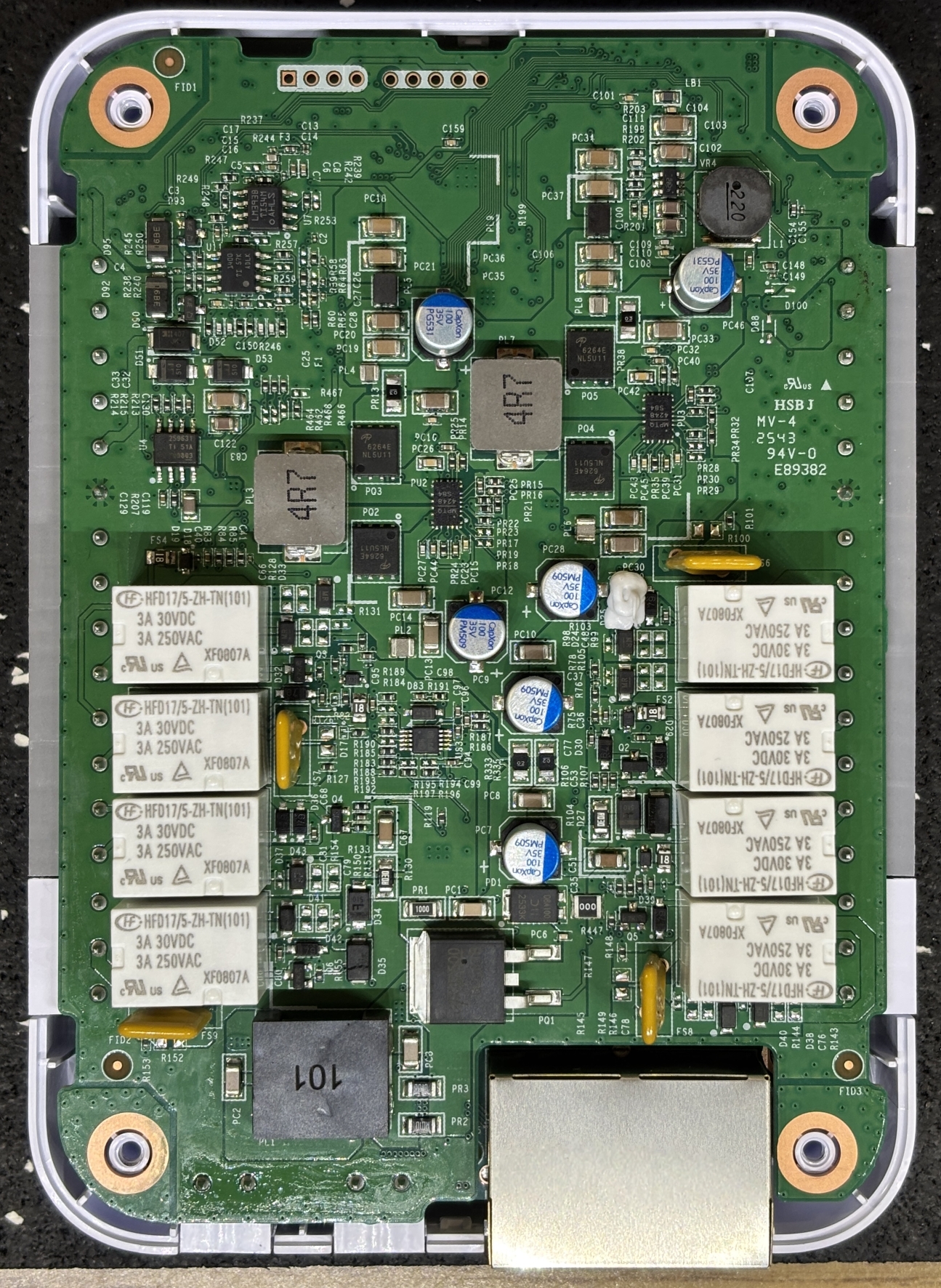
This is the back board, or the "door control" board as we are calling it. It contains significantly more components than the front board. The top side (left image) contains a NUVOTON M482KIDAE Arm Cortex Microcontroller. This is most likely handling the majority of the processing and running the main application. Below that appears to be a 12 MHz crystal oscillator. The terminal blocks are mounted to this board along with the power delivery and management circuitry. It's nice to see two protection diodes and an SMD fuse right above the input power connector. Replacing them should not be too difficult in the event of a serious power issue. On the bottom side (right image) are even more components. This includes 8 relays (HONGFA HFD17) for the door lock outputs, DRY/WET switching, and AUX outputs, 4 relays for each door. There is quite a bit going on here with regards to power management, with an SMD regulator towards the bottom and some transformers/inductors scattered through the board along with capacitors, resistors, etc. There are 4 AON6264E N-channel MOSFETs towards the middle of the board. We suspect these are used to control reader power as the Retrofit Hub has the ability to power-cycle each reader through software.
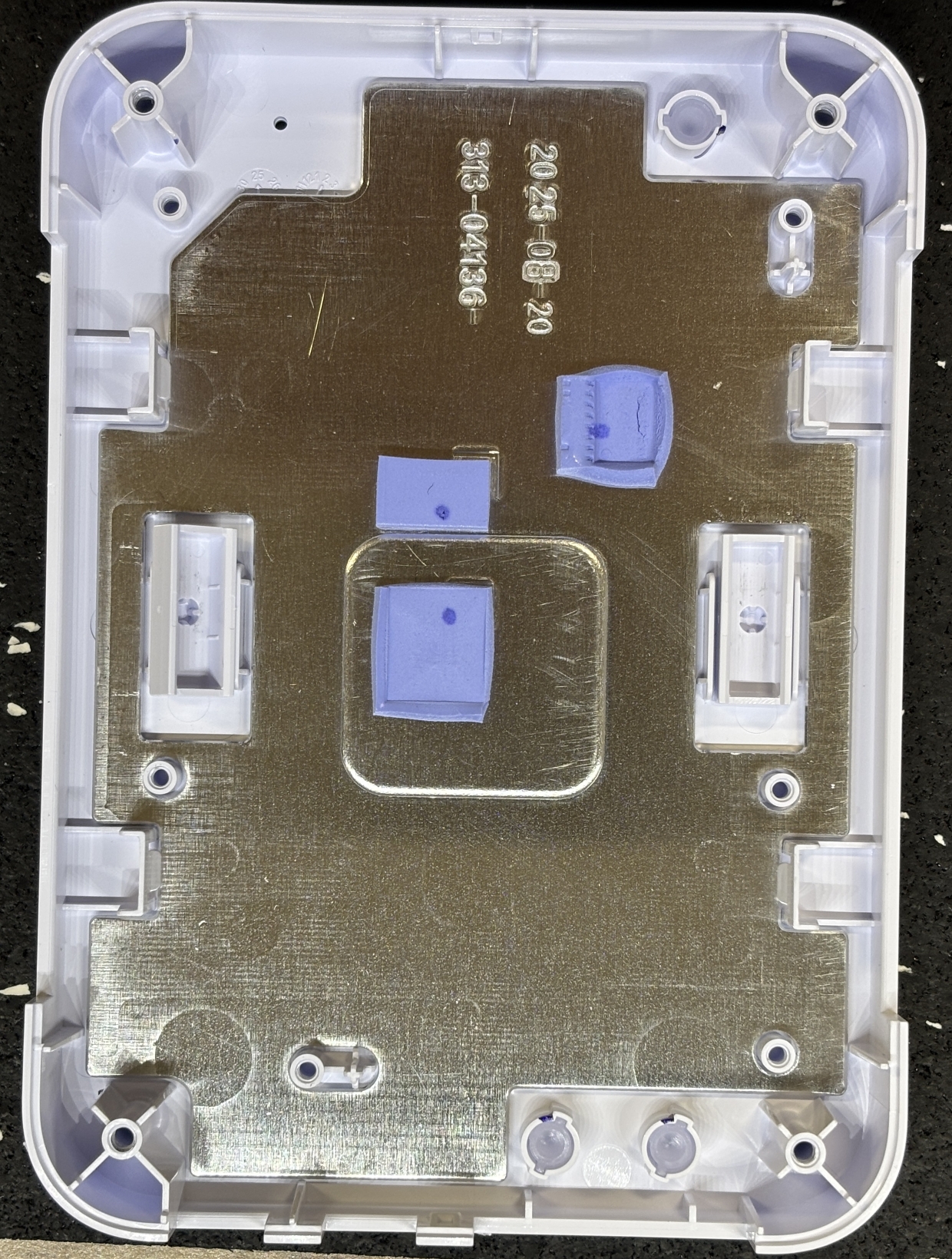
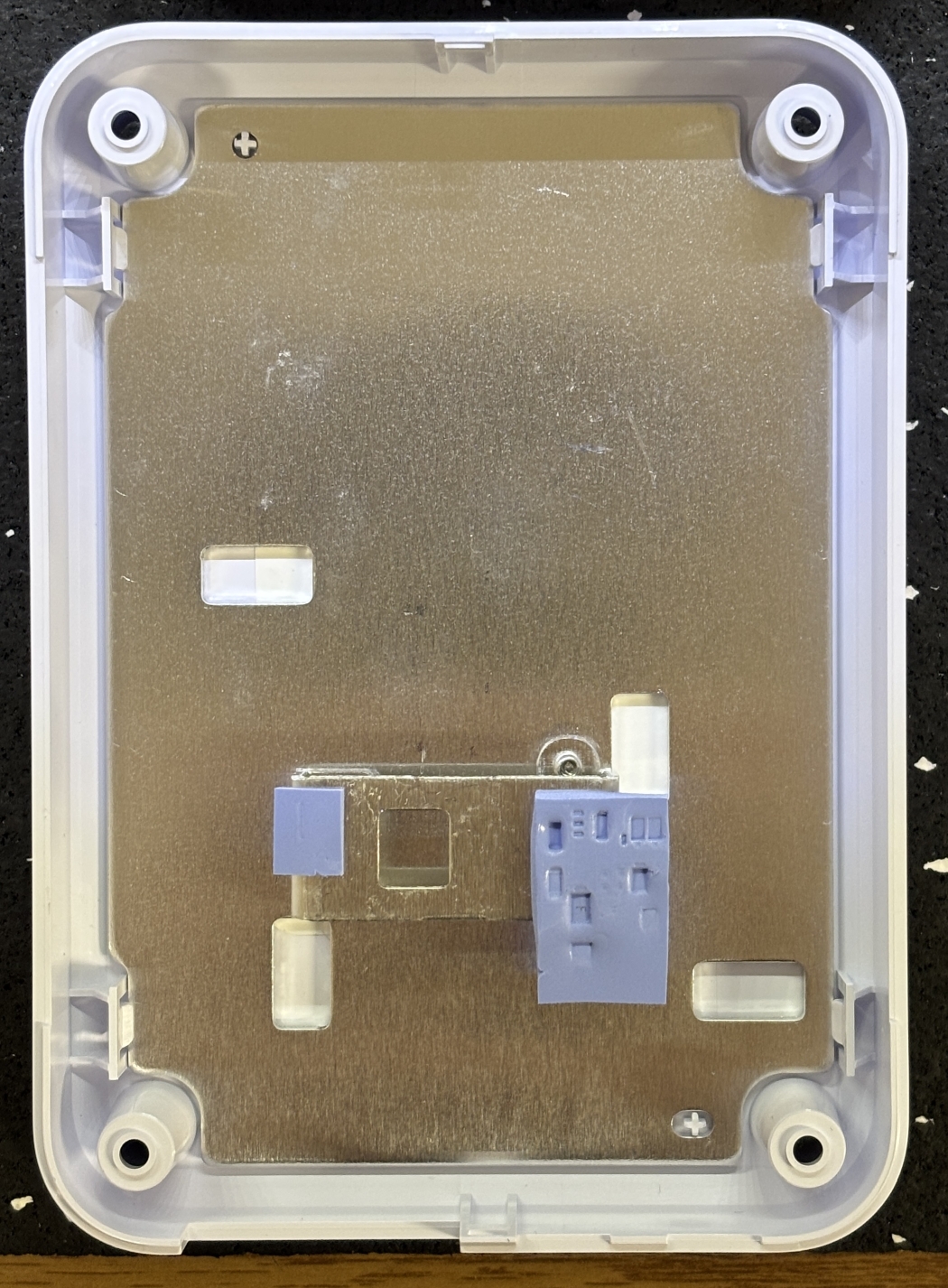
With all boards removed, we are left with two halves of the polycarbonate case. There are metal inserts on either side with some thermal pads for heat dissipation.
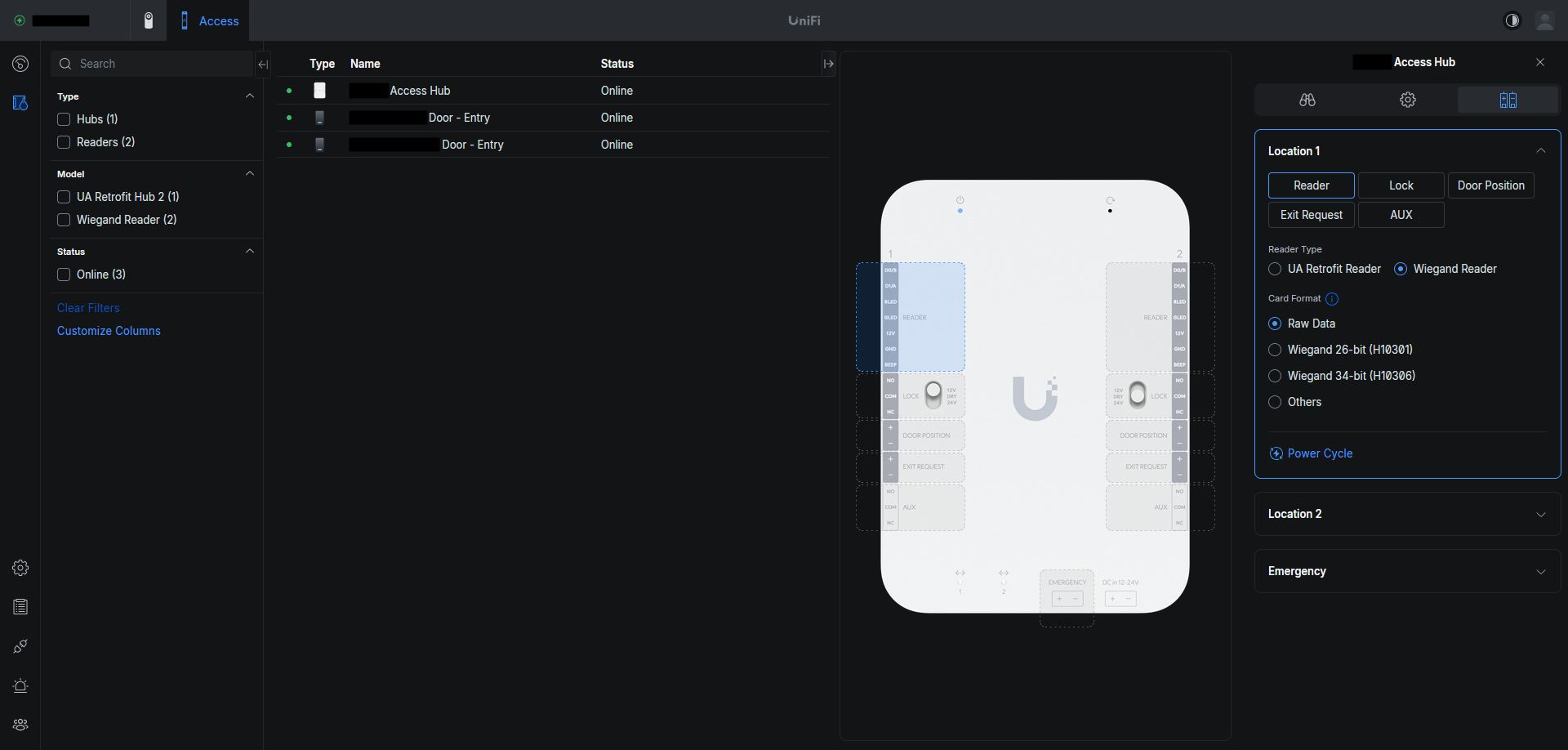
Below is a screenshot of the UniFi Access web application. This application does not run on the Access Hub, but on a suitable UniFi controller such as the Dream Machine Pro, or CloudKey. The Retrofit Hub, along with the vast majority of UniFi products, are designed to be "adopted" and then managed by a central controller. A major selling point of the UniFi ecosystem is that all management can be done through a web browser or mobile app. No OS-dependent software is needed. The UI is clean, modern, and easy to navigate. Another benefit of UniFi Access (and their other products) is the locally-hosted approach. You can connect the controller to an account for easy remote access, but this is optional. The system is very usable without an account or even an Internet connection. The screenshot below shows the terminal manager for the Retrofit Hub which makes it easy to configure the terminals on the device with a reference photo shown to the left of the settings panel. UniFi Access is not going to be as comprehensive as other commercial access control systems, but as of right now it includes enough features to suit the needs of the majority of installations. Currently supported features include card data import/export, timed access, group management, remote unlock, unlock schedules, lockdown/evacuation, user-configurable alerts, webhooks, and even an API. All without any licensing (except for touch pass). Our favorite feature of UniFi access is the ability to register NFC cards and assign them to users using the mobile app by scanning them with your cell phone's built-in NFC reader. This is significantly more convenient than having to enroll credentials at an actual reader.
Overall, the build quality of the Retrofit Hub is right in line with most other UniFi products. It's not a device you would expect to see in an industrial setting, but would certainly be suitable for light commercial or residential installations. Right now, our only complaint after using the Retrofit Hub is the fact that it takes several minutes to fully boot up and begin accepting credentials to unlock doors. There is also a noticeable delay between a credential being scanned and the door lock output triggering. Our previous system booted in less than 10 seconds and had no noticeable delay between credential read and door unlock. However that system also relied on a proprietary piece of Windows software and had no mobile app support, so the Retrofit Hub was still an upgrade.